pencere
Zero-dependency lightbox for images, video, iframes & custom renderers. Native View Transitions morph, WCAG 2.2 AA, hooks + plugins, controlled mode. Pure TypeScript, works everywhere.
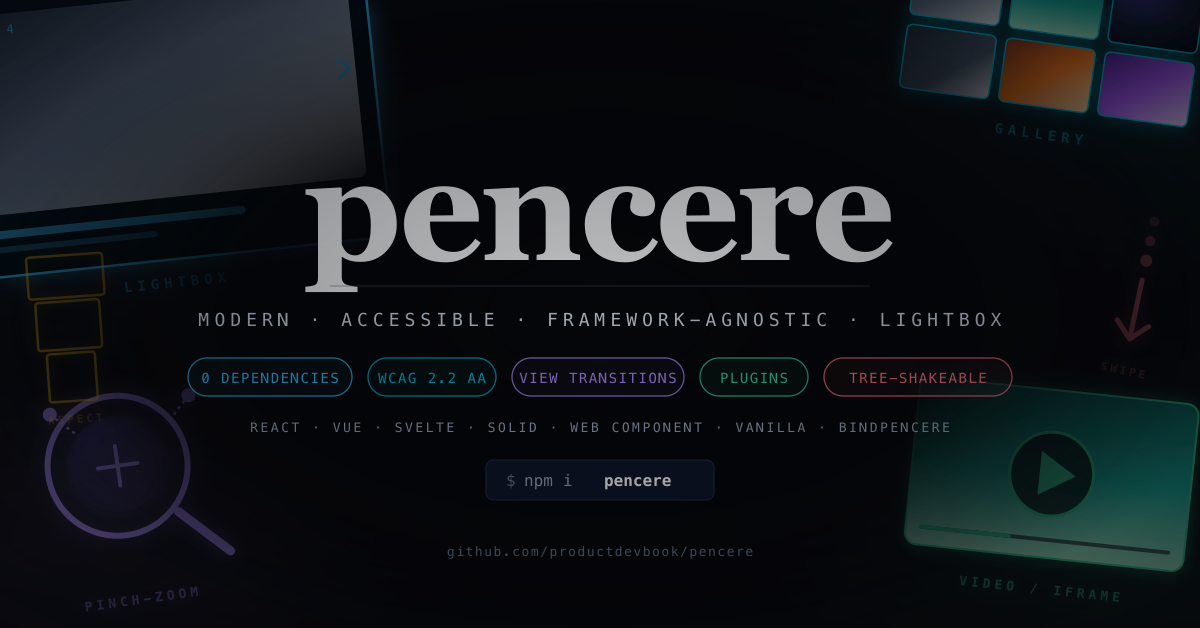
pencere
Modern, accessible, framework-agnostic lightbox — pure TypeScript, zero runtime dependencies.
View Transitions API morph, WCAG 2.2 AA, plugins, controlled mode, tree-shakeable. Works everywhere.
Live demo →




[!IMPORTANT]
What’s inside: image / video / iframe / custom renderers, View Transitions API morph (#12), hash-based deep linking (#p1, #p2…), pinch + wheel zoom, drag-to-dismiss, Fullscreen API, lifecycle hooks (willOpen,didRender,didNavigate), plugin system with narrowPencereContext(#4), controlled mode for React / Vue router sync (#6), injectableImageLoaderDI (#9), automatic RTL, Trusted Types helper, IME-safe keyboard.Adapters: React, Vue, Svelte, Solid, Web Component, plus
bindPencere()declarative DOM scanner for plain HTML.Status: Early development — public API is frozen in spirit but not in signature. Feedback on GitHub Issues and PRs welcome.
Quick Start
npm install pencere
Or use the CDN (SRI hash is published with every release):
<script
  type="module"
  src="https://cdn.jsdelivr.net/npm/pencere/dist/index.mjs"
  crossorigin="anonymous"
></script>
import { PencereViewer } from "pencere"

const viewer = new PencereViewer({
  items: [
    { type: "image", src: "/a.jpg", alt: "Mountain lake", caption: "Yosemite Valley" },
    { type: "image", src: "/b.jpg", alt: "Bosphorus at dusk" },
  ],
  loop: true,
  viewTransition: true,
  routing: true,
})

// Pass the clicked thumbnail so the UA morphs thumb → lightbox natively.
document
  .querySelector<HTMLButtonElement>("#open")
  ?.addEventListener("click", (e) => viewer.open(0, e.currentTarget))
Declarative HTML
<a href="/a.jpg" data-pencere data-gallery="trip" data-caption="Day 1">
  <img src="/a-thumb.jpg" alt="Mountain lake" />
</a>

<script type="module">
  import { bindPencere } from "pencere"
  bindPencere("[data-pencere]")
</script>
React
import { useLightbox } from "pencere/react"

function Gallery() {
  const { open } = useLightbox({
    items: [{ type: "image", src: "/a.jpg", alt: "A" }],
    useNativeDialog: true,
  })
  return <button onClick={() => open(0)}>View</button>
}
Vue 3
import { usePencere } from "pencere/vue"

const { open } = usePencere({
  items: [{ type: "image", src: "/a.jpg", alt: "A" }],
})
Svelte
<div use:pencere={{ items: [{ type: "image", src: "/a.jpg" }] }} />

<script>
  import { pencere } from "pencere/svelte";
</script>
Web Component
<script type="module">
  import { registerPencereElement } from "pencere/element"
  registerPencereElement()
</script>

<pencere-lightbox items='[{"src":"/a.jpg","alt":"A"}]' start-index="0"> </pencere-lightbox>
Why pencere?
| Library | License | Framework-agnostic | Zoom | Video | Thumbs | TS-first | WCAG 2.2 AA | View Transitions |
|---|---|---|---|---|---|---|---|---|
| pencere | MIT | ✅ | ✅ | ✅ | ❌ | ✅ | ✅ | ✅ |
| PhotoSwipe v5 | MIT | ✅ | ✅ | plugin | plugin | ~ | ~ | ❌ |
| GLightbox | MIT | ✅ | ~ | ✅ | ❌ | ❌ | ~ | ❌ |
| Fancybox v6 (@fancyapps/ui) | GPL / ₺ | ✅ | ✅ | ✅ | ✅ | ✅ | ✅ | ❌ |
| yet-another-react-lightbox | MIT | React only | ~ | plugin | plugin | ✅ | ✅ | ❌ |
| lightGallery | GPL / ₺ | ✅ | ✅ | ✅ | ✅ | ✅ | ✅ | ❌ |
| basicLightbox | MIT | ✅ | ❌ | ❌ | ❌ | ~ | ❌ | ❌ |
| Spotlight.js | Apache | ✅ | ~ | ✅ | ❌ | ~ | ❌ | ❌ |
| Swiper (lightbox mode) | MIT | ✅ | ~ | ❌ | ✅ | ✅ | ~ | ❌ |
Key differentiators:
- License freedom. Fancybox and lightGallery — the two most feature-complete options — are GPL/commercial.
pencereis MIT end to end. - Zero runtime dependencies. Framework adapters are optional peer deps.
- WCAG 2.2 AA from the start. APG Dialog + Carousel patterns, focus trap with shadow-DOM-aware tabbable detection, 44×44 target sizes,
prefers-reduced-motionrespected,forced-colorsmapping for Windows High Contrast. - Strict CSP compatible. Zero inline styles. Stylesheet ships through
adoptedStyleSheets(nostyle-srcimpact) with a<style nonce>fallback. Runtime values go through CSS custom properties. Trusted Types policy helper for consumers who opt into HTML captions. - Bidirectional. Auto-detects
dir=rtlfrom the host document and flips arrow keys, swipes, and layout via CSS logical properties. - TypeScript-first. Strict types, generic
Pencere<T>, typed event emitter. - IME-safe keyboard. Arrow keys and Escape ignore
isComposingso Japanese, Korean, and Chinese users do not dismiss the lightbox while confirming IME input. - SSR-safe. No
window/documentaccess at module import time; adapters use lazy mount hooks.
Keyboard
| Key | Action |
|---|---|
| Esc | Close (Android back via CloseWatcher too) |
| ← / PageUp | Previous image |
| → / PageDown | Next image |
| Home / End | Jump to first / last |
| + / = | Zoom in 1.25× |
| - | Zoom out 1.25× |
| 0 | Reset zoom |
All shortcuts are IME-safe (ignored during isComposing) and can be remapped or disabled via the keyboard option.
Dragging alternative (WCAG 2.5.7). While zoomed in, the arrow
keys pan the image one step at a time (←/→
horizontal, ↑/↓ vertical). This gives
keyboard-only users the same reach as a one-finger pan gesture.
Gestures
- Swipe left / right at fit scale navigates between slides.
- Swipe down dismisses the viewer with a backdrop fade.
- Pinch zooms around the centroid, clamped to 1×–8×.
- Double-tap toggles 1× ↔ 2× zoom at the image center.
- Mouse wheel zooms exponentially at the cursor; zooming out past 1× snaps back to identity.
- Pan (one-finger drag) works once zoomed in.
Accessibility
pencere is designed against the following standards:
- WCAG 2.2 AA — focus management, keyboard operability, target size (2.5.8), focus not obscured (2.4.11), dragging alternatives (2.5.7).
- ARIA APG Dialog (Modal)
- ARIA APG Carousel
- EN 301 549 v3.2.1 (EU Accessibility Act)
- JIS X 8341-3:2016 (Japan)
- RGAA 4.1 (France)
- GB/T 37668-2019 (China)
- BITV 2.0 / BFSG (Germany)
- KWCAG 2.2 (South Korea)
Right-to-left
pencere auto-detects writing direction from the host document’s
<html dir> (or any ancestor with an explicit dir attribute). You
can also force it with dir: "rtl". Under RTL:
- Layout flips via CSS logical properties (
inset-inline-start/end),
so prev/next buttons swap sides automatically. ArrowLeftadvances to the next slide andArrowRightgoes
back — matching the APG Carousel pattern and user expectation.- Horizontal swipe flips too: dragging right in RTL pulls the next
slide in from the left.
Built-in translations: English, German, French, Spanish, Italian,
Portuguese (BR), Russian, Turkish, Arabic, Hebrew, Japanese, Simplified
Chinese, Traditional Chinese, Korean. Override any string via strings
option or plug in your own translator via i18n.
Content Security Policy cookbook
pencere is written to work under a strict CSP. The minimum headers
it requires are:
Content-Security-Policy:
  default-src 'self';
  img-src 'self' https: data: blob:;
  style-src 'self' 'nonce-RANDOM';
  script-src 'self' 'nonce-RANDOM';
  trusted-types pencere;
  require-trusted-types-for 'script';
-
style-src 'nonce-...'— pass the same nonce to the viewer via
new PencereViewer({ ..., nonce: "RANDOM" }). On modern engines
pencere attaches its stylesheet throughadoptedStyleSheets, which
bypassesstyle-srcentirely; the nonce is only used as a fallback
for older browsers where a<style nonce="...">element is created.
All runtime values (transform, opacity, aspect ratio) are written
viastyle.setProperty('--pc-*', ...)so no inlinestyle=""
attribute is ever generated. -
img-src—data:andblob:are needed if you use LQIP or
URL.createObjectURL()placeholders. -
trusted-types pencere— enables the library’s trusted-types policy
(only relevant if you opt into HTML captions via DOMPurify).import DOMPurify from "dompurify" import { createTrustedTypesPolicy } from "pencere" const policy = createTrustedTypesPolicy({ sanitize: (html) => DOMPurify.sanitize(html), }) // pencere itself writes nothing via innerHTML; the policy exists so // consumers who need HTML captions can route sanitized strings // through a `TrustedHTML` sink without tripping // `require-trusted-types-for 'script'`.
Subresource Integrity (CDN)
<script
  type="module"
  crossorigin="anonymous"
  src="https://unpkg.com/pencere@0.0.1/dist/index.mjs"
  integrity="sha384-REPLACE_ME_PER_RELEASE"
></script>
SRI hashes are published in the GitHub release notes for every tag.
Security
See SECURITY.md for the disclosure policy. Highlights:
-
URL protocol allowlist (
javascript:,vbscript:,file:rejected,
including whitespace-smuggling variants). -
textContentfor captions by default. -
referrerpolicy="strict-origin-when-cross-origin"on every generated
<img>. -
npm releases published with
--provenance(SLSA attestation)
from a GitHub-hosted runner via OIDC. Verify locally with:npm audit signatures pencereThe output should show a
verified registry signatureand a
verified attestationline for every published version.
Theming
Every visual hook is a CSS custom property. Override them anywhere in
your cascade — no build step, no CSS-in-JS:
:root {
  --pc-bg: oklch(0.16 0.02 260 / 0.94); /* backdrop             */
  --pc-fg: #f5f5f5; /* toolbar + caption    */
  --pc-font: "Inter", system-ui, sans-serif;
  --pc-focus: #facc15; /* focus ring color     */
}
Under @media (forced-colors: active) pencere automatically swaps to
system color keywords (Canvas, CanvasText, ButtonFace,
ButtonText, Highlight, GrayText) so Windows High Contrast users
see a legible, AT-friendly UI without any configuration.
Recipes
Remap keyboard shortcuts
new PencereViewer({
  items,
  keyboard: {
    overrides: {
      close: ["Escape", "q"], // add `q` as a second close key
      next: ["ArrowRight", "l"], // vim-style forward
      prev: ["ArrowLeft", "h"],
    },
    disable: ["toggleSlideshow"], // space should scroll the page instead
  },
})
Force right-to-left
new PencereViewer({
  items,
  dir: "rtl", // or omit to inherit from <html dir>
})
In RTL, ArrowLeft becomes next, ArrowRight becomes prev,
and horizontal swipes flip accordingly — so “forward” always means
toward the end of the reading flow.
Strict CSP with a nonce
new PencereViewer({
  items,
  nonce: document.querySelector<HTMLMetaElement>("meta[name='csp-nonce']")?.content,
})
Pass the same nonce you use for style-src 'nonce-…'. On engines that
support adoptedStyleSheets (Chrome 73+, Firefox 101+, Safari 16.4+)
pencere bypasses style-src entirely; the nonce is only stamped on
the fallback <style> element for older browsers.
HTML captions with Trusted Types
import DOMPurify from "dompurify"
import { createTrustedTypesPolicy } from "pencere"

const policy = createTrustedTypesPolicy({
  sanitize: (html) => DOMPurify.sanitize(html),
})

// Any surface of your own app that needs to render rich captions:
captionEl.innerHTML = policy.createHTML(item.richCaption) as string
Custom container (SPA shell / portal)
new PencereViewer({
  items,
  container: document.getElementById("app-shell")!,
  useNativeDialog: false, // opt out of <dialog>
})
pencere’s DialogController walks the root’s ancestors and marks
every sibling inert at each level — even when mounted deep inside a
custom container, the rest of the page becomes unreachable to keyboard
and AT while the viewer is open.
Responsive images (AVIF / WebP / srcset)
new PencereViewer({
  items: [
    {
      type: "image",
      src: "/a-1600.jpg", // bare fallback for legacy UAs
      alt: "Yosemite Valley",
      width: 1600,
      height: 1067,
      // Per-item srcset/sizes are forwarded straight to the <img>.
      srcset: "/a-800.jpg 800w, /a-1600.jpg 1600w, /a-2400.jpg 2400w",
      sizes: "100vw",
      // Declaring `sources` wraps the <img> in a <picture> so the UA
      // can pick AVIF or WebP automatically — no user-agent sniffing.
      sources: [
        { type: "image/avif", srcset: "/a-800.avif 800w, /a-1600.avif 1600w", sizes: "100vw" },
        { type: "image/webp", srcset: "/a-800.webp 800w, /a-1600.webp 1600w", sizes: "100vw" },
      ],
    },
  ],
})
Hash-based deep linking
const viewer = new PencereViewer({
  items,
  routing: true, // writes #p1, #p2, … on open + slide change
})

// On page load, open the slide named in the URL (e.g. /gallery#p3).
void viewer.openFromLocation()
The browser Back button (and Safari / Firefox edge-swipe back
gestures) close the viewer naturally because pencere listens for
popstate. Customize the fragment with
routing: { pattern: (i) => \#photo/${i + 1}`, parse: (h) => … }`.
Declarative HTML (no JS wiring)
<a href="/a.jpg" data-pencere data-gallery="trip" data-caption="Day 1">
  <img src="/a-thumb.jpg" alt="Mountain lake" />
</a>
<a href="/b.jpg" data-pencere data-gallery="trip" data-caption="Day 2">
  <img src="/b-thumb.jpg" alt="River valley" />
</a>

<script type="module">
  import { bindPencere } from "pencere"
  bindPencere("[data-pencere]")
</script>
bindPencere registers a delegated click handler, scans data-*
attributes (data-src, data-alt, data-caption, data-longdesc,
data-width, data-height, data-srcset, data-sizes,
data-placeholder, data-lang), groups links by data-gallery,
and lazy-constructs a viewer on first click. Modifier clicks
(Cmd/Ctrl+click) still open in a new tab. Call the returned
function to unbind.
Haptic feedback
new PencereViewer({
  items,
  haptics: true, // or { patterns: { dismiss: [20, 30, 20] } }
})
Opt-in only. Gated on matchMedia('(any-pointer: coarse)') so
desktop trackpads never buzz, and no-ops on iOS Safari which does
not expose the Vibration API. Fires on swipe-to-dismiss commit,
wheel-zoom snap-back, and double-tap toggles.
Thumbnail → lightbox morph
const viewer = new PencereViewer({ items, viewTransition: true })

thumbButton.addEventListener("click", () => {
  // Passing the trigger tags both the thumbnail and the lightbox
  // image with a shared `view-transition-name` so the UA animates
  // the morph natively. Falls back to an instant open where the
  // View Transitions API is unavailable.
  void viewer.open(index, thumbButton)
})
Hash-based deep linking
const viewer = new PencereViewer({
  items,
  routing: true, // writes #p1, #p2, … on open + slide change
})

// On page load, open the slide named in the URL (e.g. /gallery#p3).
void viewer.openFromLocation()
The browser Back button (and Safari / Firefox edge-swipe back
gestures) close the viewer naturally because pencere listens for
popstate. Customize the fragment with
routing: { pattern: (i) => \#photo/${i + 1}`, parse: (h) => … }`.
Fullscreen API
const viewer = new PencereViewer({ items, fullscreen: true })

fullscreenButton.addEventListener("click", () => {
  void viewer.toggleFullscreen()
})
Uses element.requestFullscreen() where available, falls back to
a CSS faux-fullscreen class on iOS Safari (which only grants the
Fullscreen API to <video>). The faux path pins the root with
position: fixed; inset: 0; height: 100dvh over any page chrome.
Responsive images (AVIF / WebP / srcset)
new PencereViewer({
  items: [
    {
      type: "image",
      src: "/a-1600.jpg", // bare fallback for legacy UAs
      alt: "Yosemite Valley",
      width: 1600,
      height: 1067,
      srcset: "/a-800.jpg 800w, /a-1600.jpg 1600w, /a-2400.jpg 2400w",
      sizes: "100vw",
      sources: [
        { type: "image/avif", srcset: "/a-800.avif 800w, /a-1600.avif 1600w", sizes: "100vw" },
        { type: "image/webp", srcset: "/a-800.webp 800w, /a-1600.webp 1600w", sizes: "100vw" },
      ],
    },
  ],
})
When sources is present pencere wraps the <img> in a
<picture> so the UA picks AVIF or WebP automatically — no
user-agent sniffing.
ThumbHash / BlurHash placeholder
{
  type: "image",
  src: "/a.jpg",
  alt: "Yosemite Valley",
  // Any CSS background value: data URL, plain color, gradient.
  // The viewer cross-fades from this to the decoded image.
  placeholder: "url(data:image/png;base64,…)",
}
Video / iframe / custom renderers
import { PencereViewer } from "pencere"

const viewer = new PencereViewer({
  items: [
    { type: "video", src: "/clip.mp4", poster: "/clip.jpg", autoplay: true },
    { type: "iframe", src: "https://example.com/embed" },
    { type: "html", html: () => buildRichSlide() },
  ],
})
Built-in renderers ship for video, iframe, and html. Add your
own via renderers: [...]:
import type { Renderer } from "pencere"

const modelRenderer: Renderer = {
  canHandle: (item) => item.type === "custom:model",
  mount: (item, { document }) => {
    const el = document.createElement("model-viewer")
    el.setAttribute("src", (item as any).data.url)
    return el
  },
  unmount: (el) => el.remove(),
}

new PencereViewer({ items, renderers: [modelRenderer] })
Controlled via external state
viewer.core.events.on("change", ({ to }) => {
  // Sync pencere state to your router / store.
  history.replaceState(null, "", `?p=${to + 1}`)
})
Respond to events
viewer.core.events.on("change", ({ index, item }) => {
  history.replaceState(null, "", `#p${index + 1}`)
})
viewer.core.events.on("slideLoad", ({ index }) => {
  analytics.track("slide_view", { index })
})
viewer.core.events.on("close", ({ reason }) => {
  console.log("closed via", reason) // "escape" | "backdrop" | "user" | "api"
})
Options
interface PencereViewerOptions<T extends Item = Item> {
  items: T[]
  startIndex?: number
  loop?: boolean
  container?: HTMLElement
  strings?: Partial<PencereStrings>
  i18n?: (key: keyof PencereStrings, vars?: Record<string, string | number>) => string
  keyboard?: {
    overrides?: Partial<Record<KeyboardAction, string[]>>
    disable?: KeyboardAction[]
  }
  image?: {
    crossOrigin?: "anonymous" | "use-credentials" | null
    referrerPolicy?: ReferrerPolicy
  }
  reducedMotion?: "auto" | "always" | "never"
  useNativeDialog?: boolean
  lockScroll?: boolean
  /** CSP nonce for the fallback <style> element. */
  nonce?: string
  /** Writing direction. `"auto"` inherits from <html dir>. */
  dir?: "ltr" | "rtl" | "auto"
  /** Opt-in haptic feedback on coarse-pointer devices. */
  haptics?: boolean | HapticsOptions
  /** Hash-based deep linking (#p1, #p2, …). */
  routing?: boolean | RoutingOptions
  /** Expose enterFullscreen() / toggleFullscreen() with iOS fallback. */
  fullscreen?: boolean
  /** Wrap open() in document.startViewTransition() when supported. */
  viewTransition?: boolean
  /** Custom renderer registry (video, iframe, html, custom:*). */
  renderers?: Renderer[]
}
Roadmap
Shipped
- Responsive
<picture> -
bindPencere() - Per-slide
lang -
longDescriptionwired toaria-describedby -
forced-colors
In flight
Acknowledgments
pencere stands on the shoulders of a decade of lightbox craft. Big
thanks to the maintainers whose work we studied, learned from, and
drew direct inspiration from while designing this library:
- PhotoSwipe by Dmytro Semenov — the gold standard for zero-dep image viewers; its focus trap + gesture engine shaped ours.
- Fancybox by fancyapps — the most feature-complete commercial option; its UX polish (caption animation, renderer registry shape) set the bar for our defaults.
- lightGallery by Sachin Neravath — the thumbnail strip interaction patterns and plugin system ergonomics.
- GLightbox by biati-digital —
data-*declarative markup was a direct reference forbindPencere(). - yet-another-react-lightbox by Igor Danchenko — the cleanest typed React API in the ecosystem; strongly influenced our controlled-mode contract.
- basicLightbox by Tobias Reich — proof that 2 kB can still feel great; a constant reminder to keep core small.
- Spotlight.js by Thomas Wilkerling — the compact gesture-first mobile UX benchmark.
- Swiper by Vladimir Kharlampidi — the touchstone for swipe navigation physics, axis locking, and momentum.
- Lightbox2 by Lokesh Dhakar — the original. Every web lightbox traces back here.
License
MIT © productdevbook